By trade · Cleaning
Mour for cleaning.
Recurring residential cleans, one-off deep cleans, move-outs. Same app handles all of them — you pick the cadence.
Built for the work
What cleaning operators run into — and how Mour handles it.
Weekly and bi-weekly cleans that schedule themselves.
The snag: You clean a dozen households on a weekly or every-other-week rhythm. Every few months you're rebuilding the calendar from memory and hoping you didn't drop anyone.
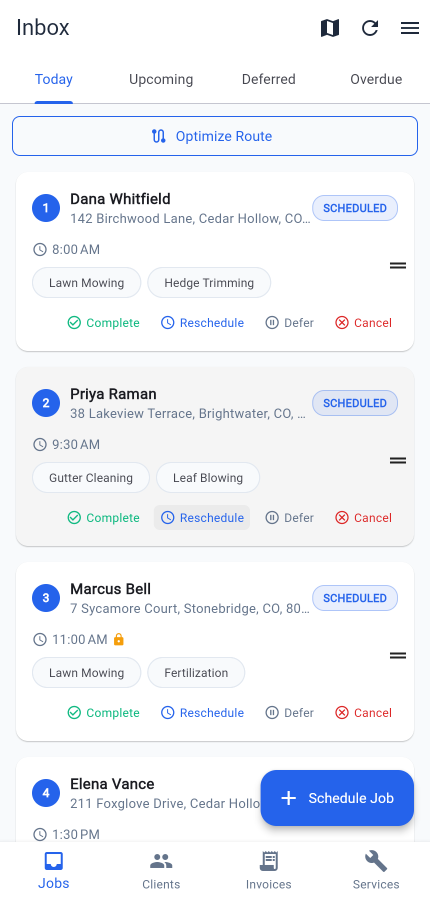
In Mour: Set each client's service to its cadence — daily, weekly, bi-weekly, or monthly — and recurring scheduling does the rest, on every plan including free. Finish today's clean and the next one is already on the calendar, so the route just keeps walking forward.
One-off deep cleans and move-outs stay one-off.
The snag: Karen wants a deep clean before her in-laws visit, and the Patels need a move-out turnover next week. Wedge them into the recurring schedule and the weeklies drift out of rhythm.
In Mour: A deep clean or a move-out is just a job — create it for that date with no recurrence, and your weekly and bi-weekly cadences keep running untouched. The one-off lands once, does its work, and is gone.
Photo proof when the deposit is on the line.
The snag: Move-outs are the worst — you leave the unit spotless, then the landlord disputes it weeks later and the tenant's security deposit is at stake with your name on the work.
In Mour: Attach photos to the job's Photos section before you tap Complete — photos are on every plan, with more room per job as you move up (see the plans on the pricing page). They stay private to your business, so you can pull up dated proof of every room right from the job.
Nothing books on your day off.
The snag: You take Sundays off and block a week in August — but the recurring schedule doesn't know that and keeps dropping cleans on top of your time.
In Mour: Turn on working-hours enforcement and set your time-off, and Mour stops auto-scheduling recurring cleans onto a day you've closed. Changing your hours or time-off never moves a job already on your calendar — so a client never gets a surprise new time, and you resolve anything stranded on your own terms.
A day in Mour
Your day, start to finish.
- 1Sunday night: open the app and see Monday's four weekly cleans already sitting in the Today list — you never re-entered them.
- 2Need to add a deep clean for Karen? Create a one-off job for the date, no recurrence, and her weekly stays on rhythm.
- 3Monday morning: tap a job to open it, finish the clean, snap photos from the Photos section, then tap Complete.
- 4On Professional, optimize the route to cut drive time, and let SMS notifications keep clients in the loop on the busy days.
- 5On Professional, completing a move-out auto-drafts an invoice, due in 14 days — email it, collect by Venmo, Zelle, or cash, and Mour never touches the money.
- 6Next Monday's recurring cleans are already scheduled — and because working hours are set, nothing landed on your day off.
Pricing
Same plans as the rest of Mour.
Two simple plans, the same for every trade — free Hustler, or Professional when you outgrow it.
Hustler
Free
5 clients · 20 jobs/mo · 5 services
Professional
$14.99/mo
Unlimited + route opt + client texts + invoicing
“Looking for a residential cleaning operator who'll let us feature their workflow.”
Try Mour for cleaning.
Free on Professional, no card to start. You'll have your first job scheduled in minutes.
Prefer mobile? Get the app
Cancel anytime. Delete your account and you can restore everything just by signing back in within 30 days.